 Colour Cozy
Galaxy color palette ideas for dreamy space pictures
Deep indigo, violet, a flash of pink and tiny white stars. Here is how to mix space colors so your picture glows instead of turning muddy.
In this guide
A good galaxy palette starts with a very dark base, such as near-black indigo or deep purple, then steps up through violet and lilac to one or two bright accents like hot pink or sky blue. Finish with white or pale yellow for stars. Keep most of the picture dark and use the bright shades sparingly, so the light parts look like they glow.
Space is one of the most fun things to color. There are no rules about what a nebula should look like, so you can mix purple, pink and blue however you like. The tricky part is that dark colors can swallow a picture. Too many bright ones, on the other hand, and your night sky looks like a party balloon.
The secret is contrast. A galaxy looks magical when a lot of deep, quiet color sits next to a few small, bright sparks. Below are five galaxy color palette ideas built on that idea, plus a simple order to color them in.
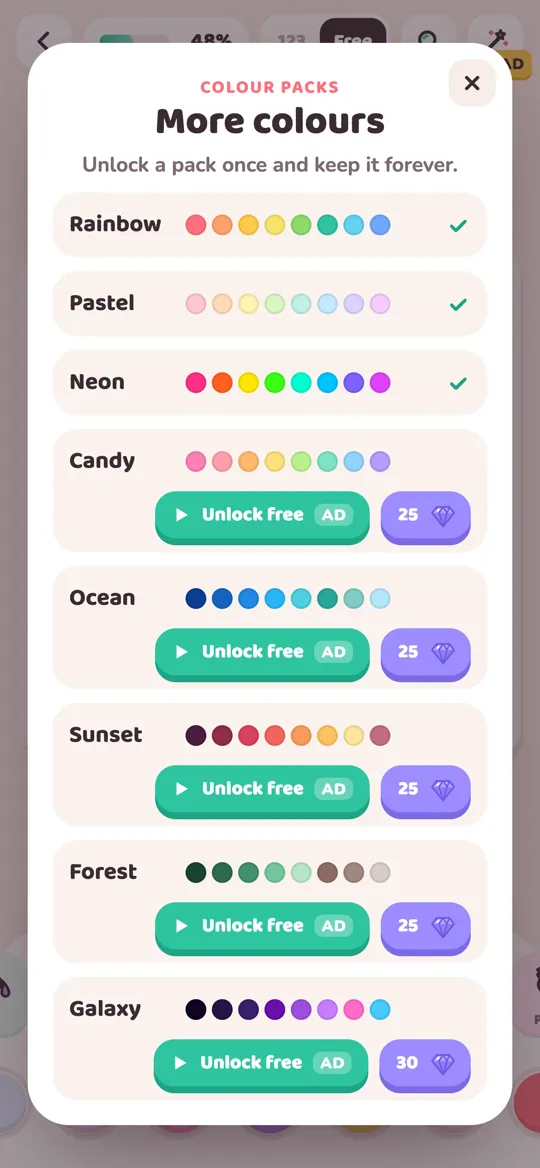
In Colour Cozy, the Galaxy pack has ten shades made for exactly this: near-black indigo, deep indigo, dark purple, royal purple, violet, lilac, hot pink, sky blue, pale yellow and white. You can use the ideas below with that pack, with pencils on paper or in any other app.
What makes a galaxy palette work
Every space picture you love probably follows these three rules, even if the artist never said them out loud.
- Start very dark. The darkest shade covers the biggest area, usually the sky. It should be close to black but still have a hint of color, like indigo or plum. Pure black can look flat.
- Climb in small steps. Add two or three shades that each get a little lighter: deep purple, then violet, then lilac. These steps make clouds of color look soft instead of patchy.
- Keep the brights tiny. Hot pink, sky blue, yellow and white are your sparks. Use them on small shapes like stars, planet rings and the very center of a nebula.
A useful check: if more than about a quarter of your picture is bright, it will stop feeling like night.
Five galaxy color palette ideas
1. Classic purple nebula
Shades: near-black indigo, dark purple, royal purple, violet and white. Use it for: big night skies, swirling space clouds and backgrounds behind a rocket. Tip: put the violet in the middle of the cloud and let the darker shades wrap around it. White dots on top make it twinkle.
2. Cotton candy cosmos
Shades: deep indigo, lilac, hot pink and white. Use it for: cute, dreamy pictures like a sleepy bunny on the moon or a unicorn among the stars. Tip: this one is softer, so use lilac for most of the cloud and save the hot pink for the very center.
3. Icy blue starfield
Shades: near-black indigo, deep indigo, sky blue and white. Use it for: cold, calm skies, comets and frosty planets. Tip: sky blue next to dark indigo looks like it glows. Add one tiny pale yellow star so the picture is not all cool tones.
4. Supernova pop
Shades: dark purple, hot pink, sky blue and pale yellow. Use it for: bold, playful pictures such as a space rocket blasting off. Tip: this is the loudest palette here. Keep the dark purple on most of the picture and let the three brights touch only in one spot, like the rocket flame.
5. Galaxy on a cute character
Shades: royal purple, violet, lilac, hot pink and white dots. Use it for: filling one shape, like a unicorn's mane, a whale's body or a cat's fur, with a galaxy pattern while the rest stays plain. Tip: color the shape in purples, then dot white specks inside it. Everything outside the shape stays light, so the galaxy part really stands out.
How to color a galaxy, step by step
This order works for almost any space picture, on paper or on screen.
- Pick four or five shades from one of the palettes above: one very dark, two middle steps and one or two brights.
- Color the darkest areas first. Fill the sky or the background with your darkest shade. This sets the mood for everything else.
- Add the middle steps. Color clouds, planets or a swirl in your purple and violet shades. Place the lighter step in the center of each shape.
- Add the brights last. Put hot pink or sky blue only on small shapes or the centers of clouds.
- Finish with stars. Dot white and pale yellow stars across the dark parts. Vary the size: lots of tiny ones and a few bigger ones.
In Colour Cozy, color packs are used in free mode, where you choose every color yourself. Tap the plus button at the end of the color row to open the More colours sheet, then pick Galaxy. If you are not sure which mode suits you, our comparison of color by number and free coloring explains both.
Tools that make space pictures shine
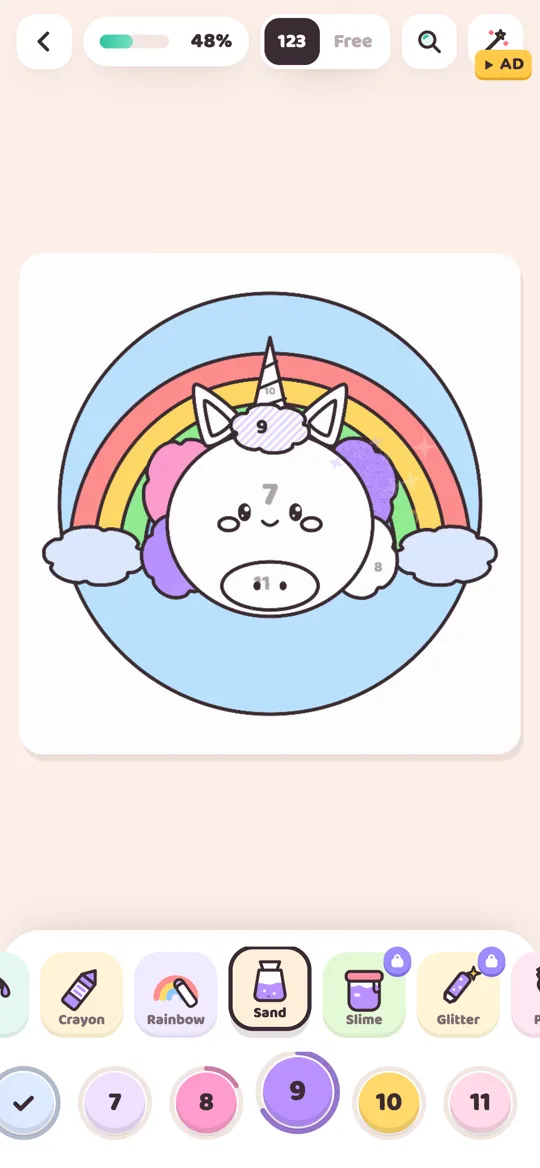
The tool you pick changes the texture, and some textures suit space very well. In Colour Cozy:
- Ombre fills an area with a soft gradient from your color to a lighter shade of it. Try it on planets and skies for a gentle glow. Our guide on how to color an ombre gradient goes deeper.
- Spray builds up a fine mist, which is perfect for nebula clouds and soft starlight.
- Glitter adds sparkly strokes with little twinkling stars. Use it on a small area, like a comet tail or a ring around a planet.
- Neon paints an area in a dark night color and gives its edge a glowing line in the color you picked. It turns stars, moons and rockets into little light-up signs.
Glitter and Neon are pro tools. Our guide to all 12 Colour Cozy tools explains what each one does and how they unlock.

Common galaxy coloring mistakes
- Too much bright color. A sky full of pink and blue looks busy. Let the dark shades do most of the work.
- Only one dark shade. Two or three steps between dark and light make clouds look soft and deep.
- Stars all the same size. Mix tiny dots with a few bigger stars, and place them unevenly.
- Dark shades on small details. Eyes and outlines can vanish in a dark sky. Keep small details in lighter colors so they stay easy to see.
If you prefer softer colors, our pastel color palettes are the gentle opposite of a galaxy: light shades with one deeper accent.
FAQ
What colors are in a galaxy color palette?
Most galaxy palettes mix a very dark base, like near-black indigo or deep purple, with violet and lilac in the middle and small amounts of bright pink, sky blue, yellow and white for glowing clouds and stars.
How do I make a galaxy look like it glows?
Keep most of the picture dark and put the lightest, brightest colors in the center of small shapes. Bright colors next to very dark ones look like they give off light.
Should I use black for a space background?
You can, but a very dark indigo or purple often looks richer than pure black. It still reads as night and blends more smoothly into the purple and blue clouds.
What pictures suit galaxy colors?
Night skies, rockets, planets and moons are obvious choices. Galaxy colors also look fun inside one shape of a cute picture, like a unicorn's mane or a whale's body.
How do I get the Galaxy pack in Colour Cozy?
In free mode, tap the plus button at the end of the color row to open the More colours sheet. You can unlock Galaxy once by watching an optional video or with gems, and it stays unlocked.