 Colour Cozy
All 12 Colour Cozy tools, explained one by one
Fill, marker, crayon, rainbow, sand, spray and more. Here is what each tool does, how it feels to use, and which one suits which part of a picture.
In this guide
Colour Cozy has 12 tools. Fill, Ombre and Slime color a whole area with one tap. Marker, Crayon, Rainbow, Sand, Spray, Glitter, Puffy and Neon are painted stroke by stroke, and Stickers drop small shapes anywhere. Eight tools are free from the start. The four pro tools, Slime, Glitter, Puffy and Neon, can be tried free for one picture with an optional video or unlocked for good with gems.
Most coloring apps give you a pencil and a paint bucket. Colour Cozy gives you a whole craft drawer: wet paint, crayon, coloured sand, slime, glitter and more. Each one looks and sounds different, so the same picture can feel brand new depending on what you pick.
This guide has coloring app tools explained in plain words. For each tool you will find what it does, how to use it, and where it looks best on a picture.
How the tool row works
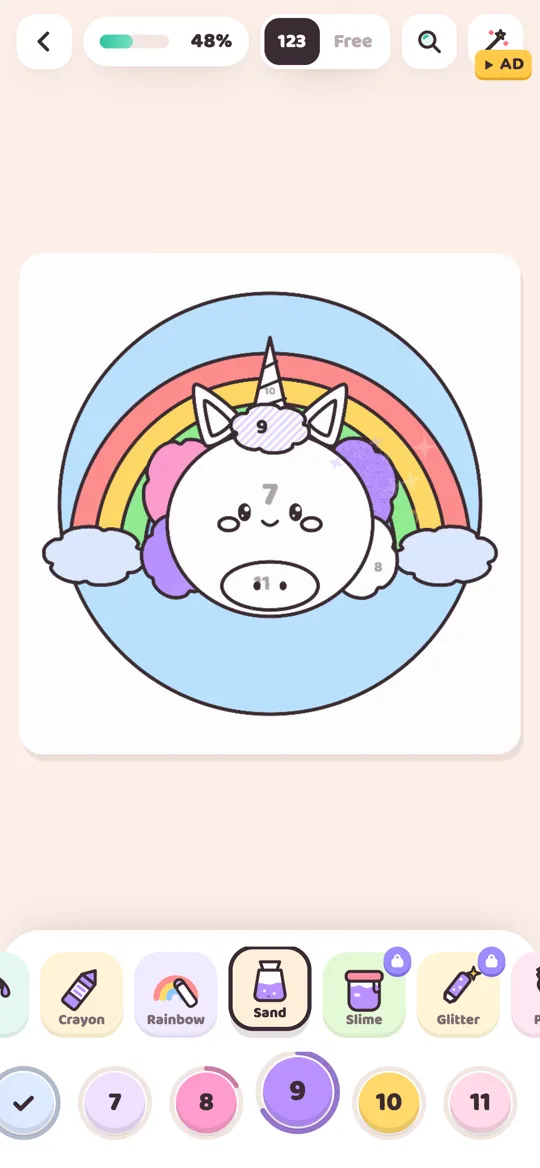
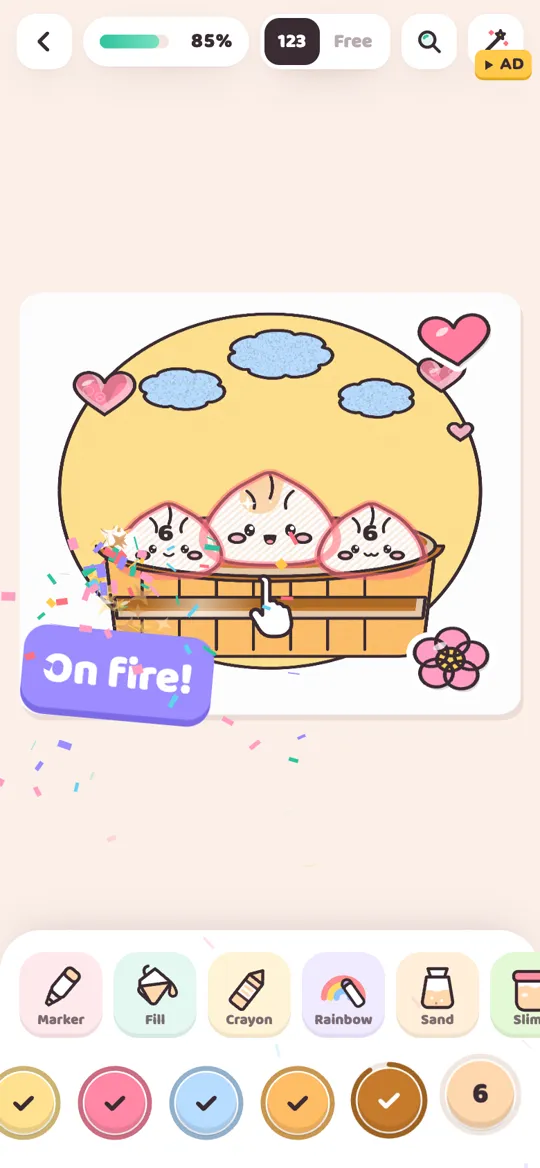
The tool row sits just above the numbered colour row at the bottom of the screen. Swipe it sideways to see every tool. From left to right the order is: Marker, Fill, Crayon, Rainbow, Sand, Slime, Glitter, Puffy, Neon, Spray, Ombre and Stickers.
Here is the basic loop:
- Pick a colour from the colour row. In color by number, tap a number. In free mode, tap any colour.
- Pick a tool from the tool row. The selected tool gets a dark outline.
- Tap or paint an area. Tap tools fill the area at once. Stroke tools need you to rub your finger over the area.
- Keep going until it finishes. You do not have to cover every last corner. Once most of an area is painted, it fills in the rest for you.
The tool changes the texture, not the colour. In color by number, the colour of each area is fixed, but you can still pick any tool you like. Our guide to color by number vs free coloring explains both modes in more detail.
The one-tap tools: Fill, Ombre and Slime
These three are the fastest. One tap colours the whole area.
Fill. The classic paint bucket, with a twist: colour flows into the area with a wet edge, like paint soaking into paper. Use it for big, flat areas such as a sky, a background circle or a body.
Ombre. One tap sweeps a soft gradient across the area, from the colour you picked to a lighter shade of it. It is lovely on skies, water and anything round, because it adds a hint of depth without any effort. If you want to blend colours by hand too, see how to color an ombre gradient.
Slime (pro). Gooey slime oozes into the area and wobbles, with a squishy sound. It has a glossy, jelly look, so it suits sweets, drinks and anything that should look wet or bouncy.
The everyday stroke tools: Marker, Crayon and Spray
Stroke tools follow your finger. They take a little longer, which is half the fun.
Marker. A smooth, even line. It is the simplest stroke tool and the best choice when you want clean colour in a small area, like a cheek, an eye or a stripe.
Crayon. Crayon strokes show real paper grain, so the colour looks slightly rough and hand-made. Try it on wood, baskets, fur and anything that should look soft or textured.
Spray. Hold your finger down and a fine mist of paint builds up, like a spray can. Short bursts give a soft, speckled look. It works well for clouds, smoke, blush and glowing backgrounds.
The special stroke tools: Rainbow, Sand, Glitter, Puffy and Neon
These are the tools people usually try first, because they look and sound the most satisfying.
Rainbow. As you paint, the colour keeps changing through the rainbow, so every stroke comes out different. Rainbow ignores the colour you picked. It is also the one tool that works on any area, even in color by number, so you can use it to add a surprise anywhere.
Sand. Hold your finger on an area and coloured grains pour down from it and pile up. Move your finger slowly to spread the pile. Sand has a speckled, grainy texture that looks great on beaches, cookies, fur and clouds. It is free from the start.
Glitter (pro). Sparkly strokes that twinkle with little stars as you paint. A small dose goes a long way: try it on a crown, a star, a unicorn horn or the frosting on a cake.
Puffy (pro). Raised puffy paint that looks thick enough to touch. It catches the light like a sticker, so it makes small shapes like hearts, buttons and spots pop off the page.
Neon (pro). Neon paints the area in a dark night colour and gives its edge a glowing line in the colour you picked. It turns any shape into a little neon sign, so it is fun on stars, rockets, signs and lights.
Stickers
Stickers. Pick the sticker tool and the colour row changes into a row of shapes: a star, a heart, a flower, a smile, a rainbow and a sparkle. Tap anywhere on the picture to pop one on. Stickers do not fill an area, so they are a way to decorate a finished picture or add a little extra to a plain background.
How the four pro tools unlock
Slime, Glitter, Puffy and Neon show a small lock in the tool row until you unlock them. Tap a locked tool to see two choices:
- Try it free. Watch an optional video and the tool is yours for the picture you are colouring now.
- Unlock with gems. Spend gems and the tool stays unlocked for good.
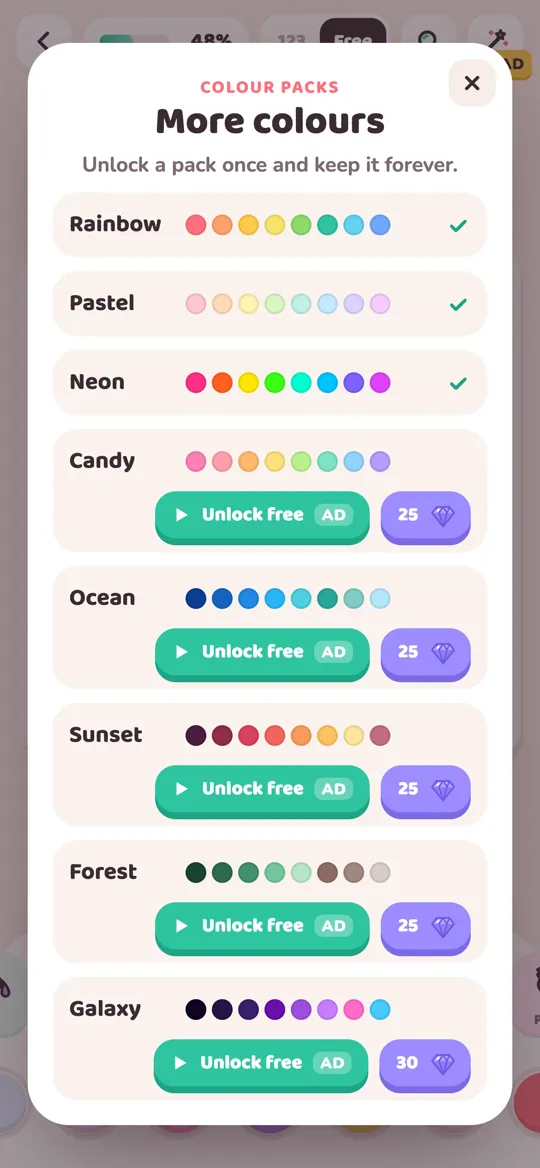
The other eight tools are free from the start. Colour packs work in a similar way: the Rainbow pack is free, and Pastel, Neon, Candy, Ocean, Sunset, Forest and Galaxy can be unlocked once and kept.
Which tool should you use where?
There is no wrong answer, but these pairings are a good place to start:
- Big backgrounds: Fill or Ombre
- Skies and water: Ombre or Spray
- Clouds and fluffy fur: Sand, Spray or Crayon
- Wood, baskets and bread: Crayon
- Sweets and drinks: Slime or Puffy
- Horns, crowns and stars: Glitter or Neon
- Small details: Marker, with pinch zoom to get close
- A finishing touch: Stickers
Each tool also has its own recorded sound, from the swoosh of ombre to the pour of sand. If the sounds are part of why you colour, our guide to what ASMR coloring is explains why they feel so relaxing.
FAQ
How many tools does Colour Cozy have?
Colour Cozy has 12 tools: Marker, Fill, Crayon, Rainbow, Sand, Slime, Glitter, Puffy, Neon, Spray, Ombre and Stickers. Eight are free from the start and four are pro tools.
Which tools are free?
Marker, Fill, Crayon, Rainbow, Sand, Spray, Ombre and Stickers are free from the start. Slime, Glitter, Puffy and Neon are pro tools you can try per picture with an optional video or unlock for good with gems.
Can I use any tool in color by number?
Yes. In color by number the colour of each area is fixed, but you can choose any tool to paint it. Rainbow is special because it works on every area, whatever its number.
Do I have to cover every bit of an area?
No. With stroke tools like Marker, Crayon or Sand, once most of the area is painted it fills in the rest for you, so you never hunt for tiny gaps.
Is the sand tool a pro tool?
No. Sand is free from the start. Hold your finger on an area and coloured grains pour down and pile up where you point.