 Colour Cozy
Digital vs paper coloring: an honest side-by-side
Pencils on a printed page or a finger on a phone? Both can be cozy. Here is what really changes, and a quick way to find out which one you will keep doing.
In this guide
Paper coloring wins on feel: the scratch of a pencil, real texture and a page you can hold or hang up. Digital coloring wins on convenience: no supplies, easy fixes, effects like sand or glitter, and a whole book in your pocket. Neither is "better". Pick paper for slow sessions at a table, digital for small gaps in the day and travel, and many people happily use both.
People who love to color often end up asking the same question: should I buy another coloring book, or try an app? The search results are full of strong opinions, and quite a few of them come from companies selling one side. So here is a plain look at digital vs paper coloring, written by people who make a coloring game but still keep pencils in a drawer.
We will look at what actually changes between the two, who tends to prefer which, and a small test you can run this week to settle it for yourself.
What really changes between paper and screen
The activity is the same: you pick colors and fill shapes. What changes is everything around it. Here are the six differences that matter most.
- Feel. Paper gives you texture, pressure and sound. A soft pencil on thick paper feels different from a marker on thin paper. A screen is smooth glass, so apps try to make up for it with sound and animation instead.
- Supplies. Paper needs books or printouts plus pencils, markers or crayons, and they get used up. Digital needs a phone or tablet you probably already own.
- Mistakes. On paper, a slip is part of the page, and you learn to work around it. In an app, mistakes are easier to manage, and some apps step in before you make them.
- Color choice. A box of pencils has a fixed set of shades. An app can offer far more shades, plus effects that are hard to do on paper.
- Where you can do it. Paper needs a table and a bag for your supplies. Digital fits in a pocket, so a five-minute wait becomes a coloring break.
- What you keep. A finished page is a real object you can frame or give away. A digital picture is easy to save and send, but it lives on a device.
When paper coloring is the better pick
Paper is hard to beat when the slow, physical part is the whole point.
Choose paper if you enjoy blending by layering pencil strokes, if you like the sound of coloring, or if you want something to stick on the fridge. It also suits a dedicated spot at home. If you are building one, our guide to a cozy coloring corner covers light, seating and how to keep supplies tidy.
Paper is also simple to share at a table. A family can pass one big page around, trade pencils and talk while they work. There is nothing to charge and no notifications to ignore.
The trade-offs are real, though. Good pencils and thick books add up over time, and a heavy smudge can be hard to fix. If you only color now and then, supplies can sit unused for months.
When digital coloring is the better pick
Digital shines when time is short, space is small or you want effects paper cannot give you.
In an app, the picture is always ready. There is nothing to sharpen, unpack or clean up, so you can start and stop in a minute. Many apps add sound and motion too, which is the idea behind ASMR coloring: the sound of each tool becomes part of the fun.
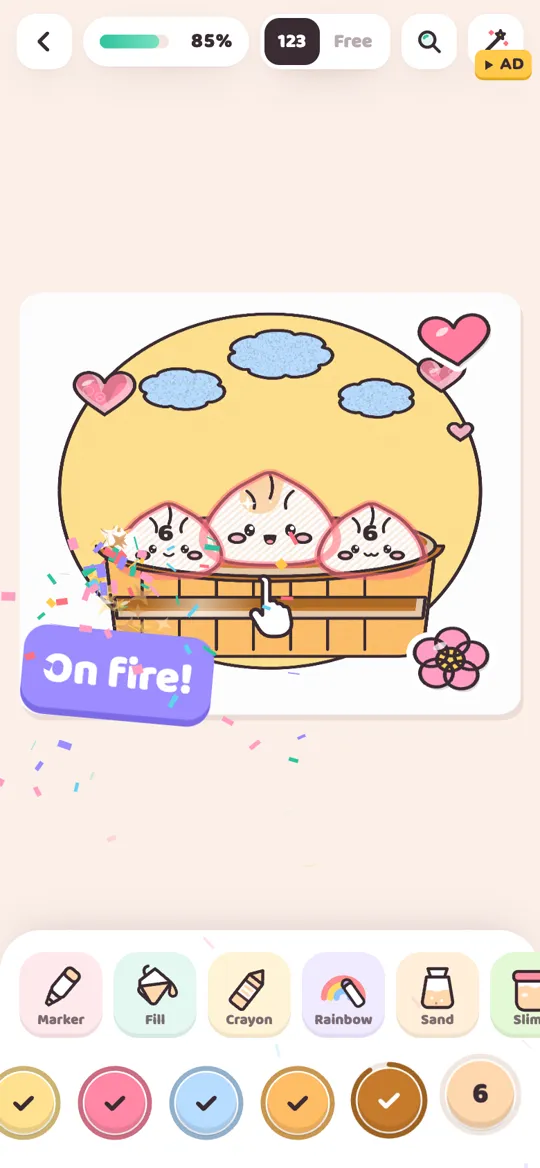
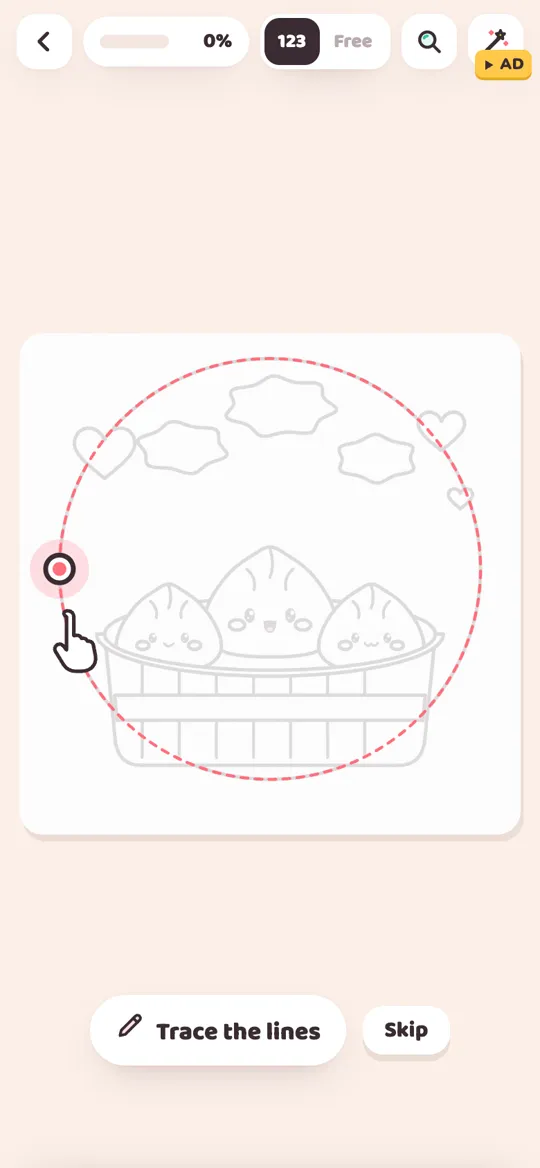
Here is how that looks in our own game, Colour Cozy. You trace the outline first, then color by number or switch to free mode. In color by number, a gentle hint shows you when a colour does not match, and pinch zoom helps with small parts. If one tiny area is left, the magnifier button at the top finds it for you.
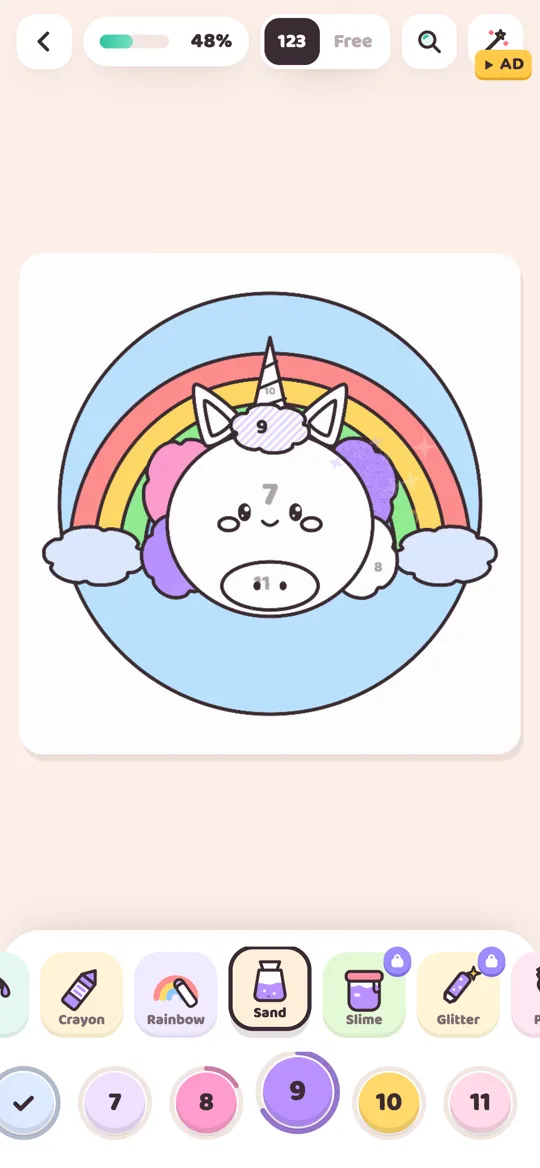
The other big plus is effects. Colour Cozy has 12 tools, including coloured sand that pours and piles up, gooey slime, glitter, puffy paint and neon. On paper you would need sand, glue and a lot of cleaning to get anything similar. The tools guide walks through all 12.
The trade-off is the screen itself. It is smooth, it needs a charge, and a phone can pull you toward other apps. A finished picture also lives on the device unless you save or share it.
A simple test to find your favourite
Opinions only get you so far, so the best way to settle digital vs paper coloring is to test it yourself. Try both on purpose for one week.
- Pick one simple picture style. Choose something with big shapes, like a cute animal or a food character, so both versions take about the same time.
- Do one paper session. Print a page or use a book, set out a small group of colors, and color for about 20 minutes at a table.
- Do one digital session. Use any coloring app you like for the same amount of time, ideally at a different moment of the day, like a short break.
- Write down three things right after each one. How did it feel? Did you want to keep going? What got in the way?
- Repeat once more each. One session can be a fluke. Two shows a pattern.
- Look at your notes on day seven. The one you looked forward to is your answer, even if it is not the one you expected.
Using both: a calm mix that works
Many people stop treating it as a contest. A common pattern looks like this:
- Paper at home, digital on the go. Keep a book for slow weekend sessions and an app for waiting rooms, trains and short breaks.
- Practise on screen, finish on paper. Try a palette in an app first, then use the colors you liked on a printed page.
- Different moods, different tools. Paper for a long, quiet evening, digital for a quick five-minute reset. Our evening coloring routine works with either one.
For families, the mix can follow simple house rules: paper at the kitchen table, apps only at set times. Whatever you choose, look for apps without timers or pressure, so coloring stays relaxed.
If coloring is one of several things you want to try this season, the list of cozy hobbies to try at home has more slow, low-cost ideas.
Trying the digital side with Colour Cozy
If you want a calm place to start the digital half of your test, Colour Cozy is our coloring game for Android. It has no timers, no account, and your pictures stay saved on your device. When you finish, the picture comes alive and plays a timelapse of everything you colored. It is free, with optional videos and purchases, and it is coming soon to Google Play.
FAQ
Is digital coloring as relaxing as paper coloring?
That depends on the person. Some people love the texture and sound of pencils on paper, others prefer the sounds and effects of an app. Try both for a week and notice which one you look forward to.
Is digital coloring cheaper than coloring books?
Often it is, because you do not keep buying books, pencils or markers. You need a phone or tablet, and some apps sell extra content, so check what is free before you start.
Can I print a picture I colored in an app?
Many apps let you save a finished picture to your phone's gallery, and from there you can print it like any photo. In Colour Cozy you can save or share a finished picture from the Picture finished card.
Which is better for kids, paper or digital coloring?
Both can be fun. Paper is easy to share at a table and needs no device. If you choose an app, look for one without timers, with clear ads settings and with no account needed, and agree on times for using it.
Do I need a stylus for digital coloring?
Not for most coloring apps. Tap-to-fill and color by number work well with a finger. A stylus mostly helps if you want to draw your own detailed lines.